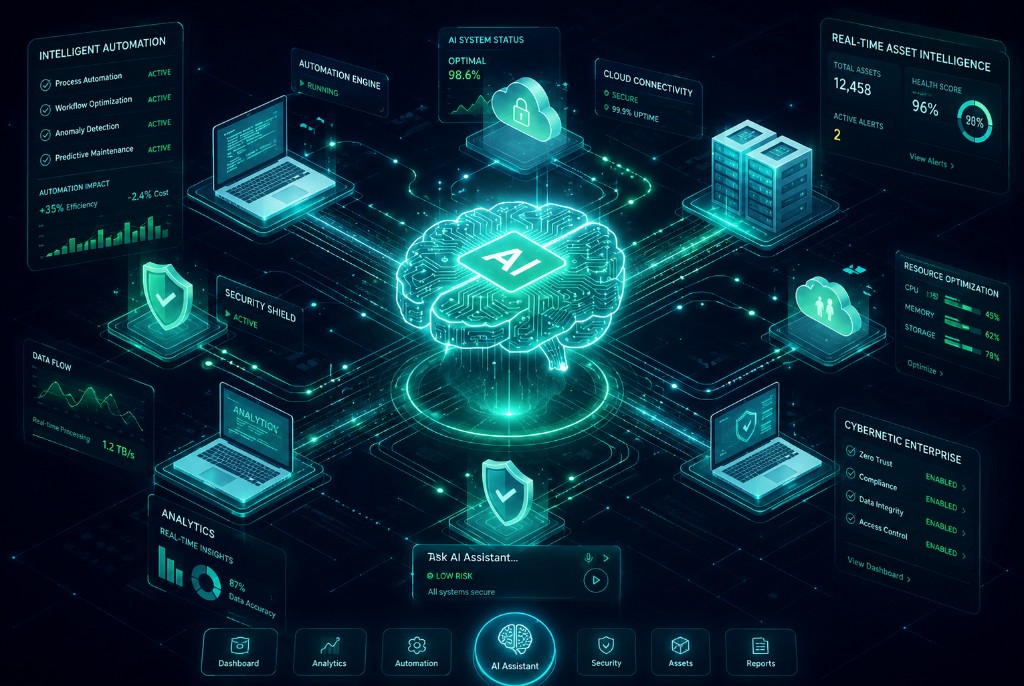
Interactive Demo
Try a live conversation with HelmBeta
Walk through onboarding, kit assignment, offboarding, and invoice intake — by voice or text. When you're done, leave your details and we'll help you go live.
IT · Lifecycle copilot
HelmBeta
Asset Operations Specialist
I run employee lifecycle steps, assign kits from templates, and receive stock from invoices — in plain language.
Voice isn't supported in this browser. Use Chrome or Edge for live voice, or type in the conversation.
Try A Workflow
Hi! I'm Helm beta — your Asset360Now copilot.
Live sandbox — no sign-in, no production data.
Try saying:
- Onboard a new hire in Engineering
- Assign Kit to Sam Rivera
- Offboard Alex Kim
- Intake invoice from Northwind
Or pick a workflow on the left.
Try Asking…
Trusted partners
Teams Who Build with Asset360Now





AI & automation
New Workflows in the Dashboard
Everything below ships inside Asset360Now — no separate bolt-ons. Sign in and open the floating HelmBeta chat, subscription analytics, inventory assist, and intake in one place.
HelmBeta
Ask in plain language: jump to pages, run tenant-scoped lists, invoice intake, and employee lifecycle steps from the corner chat — minimize when you need focus.
AI GovernanceBeta
Seat utilization for Copilot, ChatGPT, and similar pools — reclaim or reassign dormant seats and keep AI spend tied to real employee activity.
AI AssistBeta
Inventory quality scan, duplicates, and grounded summaries over real tenant data — optional LLM where you enable it.
Add by Invoice
Upload a PDF or image — AI extracts line items, you review, then create suppliers, hardware, and licenses with duplicate invoice checks.
Employee Lifecycle
From Kit Assignment to Shipping Label
Provision new hires from department templates, optionally auto-assign hardware and seats, generate outbound labels when hardware ships, and run bulk offboarding with department filters — all inside Employee Lifecycle and Integrations.
Auto-Assign Department Kit
Enable in Company settings — new employees and directory imports receive in-stock hardware and available license seats from their department template automatically.
Generate Label
After kit assignment, open the Generate Label queue — filter employees with assigned hardware, then print labels one at a time or in bulk using your company carrier defaults.
FedEx & UPS Connect
Connect carrier accounts under Integrations with OAuth — account numbers and ship-from details stored per tenant for real outbound labels.
Bulk Offboarding
Search and filter by department, select one or many employees, and start offboarding in a single action — finalize each exit when their checklist is complete.
Integrations
Built for MDM, CMDB, and Directory Sources You Already Run
Asset360Now is not locked to a single vendor. Connect Microsoft Entra and Google Workspace for directory and mailbox usage, ServiceNow for CMDB and SAM, deploy the Discovery Agent where MDM is not everywhere yet, cloud MDMs through APIs, on-prem Configuration Manager through a secure relay, and Apple fleets through Jamf. One Hardware register, one import model, serial-based deduplication across sources.
ServiceNow
Connect your ServiceNow instance with an integration account. Pull CMDB computers, directory users, and SAM license entitlements — then import selected rows into Hardware, Employees, and Software with sys_id deduplication.
- cmdb_ci_computer → Hardware inventory
- sys_user → Employees roster
- alm_license (SAM) → Software licenses
Microsoft Intune
Connect Microsoft 365, sync managed devices from Graph, and import selected endpoints into Hardware with serial-based deduplication and compliance action items.
- Live device sync from Intune / Graph
- Import with INT-style asset tags
- Non-compliant device playbooks
Jamf Pro
Manage Apple alongside Windows in one place. Sync managed Mac, iPhone, and iPad inventory from Jamf into Asset360Now and import devices into Hardware with the same compliance and deduplication workflow as other MDMs.
- Jamf Pro & Jamf School device inventory
- Unified import for Mac and mobile fleets
- Shared compliance checklists across MDMs
Configuration Manager (On-Prem)
For SCCM sites inside your datacenter: register your site, download the relay installer from the dashboard, and push client inventory outbound over HTTPS — Asset360Now never connects into your network.
- Downloadable relay agent — no custom code
- Admin Service device sync on a schedule
- Import to Hardware with baseline compliance checklists
Shipping Carriers
Connect FedEx or UPS with OAuth and your account number. Company settings hold ship-from defaults; Employee Lifecycle generates labels after kit assignment.
- FedEx & UPS OAuth in Integrations
- Per-tenant account and refresh tokens
- Generate Label queue after provisioning
- Optional auto-label when kit assigns hardware
Your MDM, Your Way
Asset360Now is designed to integrate with any MDM or CMDB — not just Intune, Jamf, ConfigMgr, and ServiceNow. Cloud APIs for SaaS platforms, outbound relays for on-prem tools, and a consistent import path into Hardware. Tell us what you run; we connect the fleet you already manage.
Microsoft Entra & Google Workspace
Mail Box intelligence — operational and exportable
Connect Entra or Google Workspace, then open Overview → Mail Box for directory users reconciled with your employee roster. Sync AD only for identity and sign-in, or run a full Google sync in Integrations for Gmail/Drive quotas. Reports still export CSV, PDF, and prompt-based tables for leadership.
Overview → Mail Box
KPIs, quota and storage charts, and a sortable directory table — Gmail, Drive, total used, limit, % of quota, AD status, and employee match.
- Top storage and quota utilization charts
- Linked vs AD-only vs employee-only badges
- Sync AD only or refresh from live directory
Reports → Mail Box
Leadership-ready sub-reports with filters and pagination — same data model, built for export and email to management, not duplicate dashboards.
- Inventory, quota risk, high storage, AD reconciliation
- CSV, PDF, print, and send to management
- Filter by match status, quota band, account state
Reports → Prompt
Ask natural-language questions about mailbox storage synced on employees — quota %, high usage, inactive sign-in, and cross-joins with assets or licenses.
- e.g. employees over 90% mailbox quota by department
- Read-only SQL with KPIs and export
- Uses Google usage fields from directory sync
Connect Google Workspace in Integrations with directory and usage-report scopes, sync employees, then open Overview or Reports. Personal Gmail accounts are not supported — Google Workspace admin is required.
AI-powered ITAM
One AI-powered ITAM platform for every organization
ITAM is more than a spreadsheet of serial numbers. Asset360Now connects procurement, assignments, renewals, MDM-discovered devices, and employee changes — with AI assistance for intake, quality checks, and day-to-day navigation — so IT, finance, and security work from the same inventory.
Scale from a single site to multi-tenant operations: import CSVs on day one, sync Intune or Jamf when you are ready, and use AI-assisted discovery plus the Windows Discovery Agent to close gaps without a rip-and-replace MDM project.
Learn about our ITAM approach- AI copilot — natural-language navigation, lists, and workflow help
- Hardware ITAM — assets, warranties, assignments, and retirement
- Software ITAM — license pools, seats, renewals, and vendor spend
- MDM & CMDB imports — Intune, Jamf, ConfigMgr, ServiceNow, serial deduplication
- Employee lifecycle — onboarding kits, requests, and offboarding
- Reporting — audits, mailbox quota risk, CSV/PDF exports
Everything you need
One source of truth for every asset.
Hardware Tracking
Laptops, servers, peripherals — assignments, status, and retirement in one place.
Software Licenses
Keys, seats, pools, and renewals — plus unused-seat cost, lost YTD, and recoverable savings so finance sees license waste clearly.
License Cost & Savings
Annualized spend, full-month lost-so-far on unused seats, and recoverable rest-of-year amounts when you reclaim capacity.
AI Governance
Pooled Copilot and ChatGPT seats with real usage — spot dormant seats, reclaim or reassign, and keep AI spend under control.
Compliance & Certifications
Track ISO, SOC 2, SSL/TLS, vendor attestations, and training certs with expiry status, evidence files, and reminders.
Mobile & Broadband
Import carrier and ISP bills with AI parsing — match lines to employees, review usage, and keep telecom spend visible next to assets.
Suppliers & Warranty
Link assets to suppliers, POs, contracts, and warranty windows for fewer surprises.
Employees & Roster
Directory with department and status — tied to assignments, seats, and discovery campaigns.
Employee Lifecycle
Department kit templates, auto-assign on hire, bulk offboard by department, and checklist-driven exits.
Auto-Assign Department Kit
Company setting applies department templates when employees are added or imported — hardware and license seats in one pass.
Shipping Labels
Connect FedEx or UPS, then generate outbound labels after kit assignment — one employee or many at once.
Discovery Campaigns
Branded email verification — expiring links so employees confirm assigned hardware and flag gaps without signing in.
Discovery Agent
Signed agents for Windows and macOS — hardware, software, users, and posture on a schedule. Certificate auth, admin dashboard, and optional employee laptop self-setup.
Add by Invoice
Upload a PDF or image invoice — AI extracts line items, then you confirm to create suppliers, hardware assets, and software licenses with duplicate checks.
Intake & Receiving
Stock in against intake and POs — pair with Add by Invoice when shipments arrive so records match the supplier invoice.
Requests
A shared queue for IT and procurement — clear ownership from submitted to resolved.
Integrations & Automation
Microsoft Entra, Google Workspace, ServiceNow CMDB/SAM, MDM platforms, and carrier shipping (FedEx/UPS) — Intune, Jamf, ConfigMgr, and more in one hub.
ServiceNow
Connect your instance and import CMDB computers into Hardware, users into Employees, and SAM entitlements into Software licenses — with sys_id deduplication.
Mail Box & Quotas
Overview tab for Entra or Google directory mailboxes — storage, quota %, sign-in, and AD vs employee match. Sync AD-only or full usage from Integrations.
Microsoft Intune
Sync cloud-managed devices from Graph, review compliance, and import laptops and phones into Hardware with deduplication.
Jamf Pro
Bring Apple fleet management into the same inventory — Mac, iPhone, and iPad alongside Windows and on-prem endpoints.
Configuration Manager (On-Prem)
Install a lightweight relay inside your network — outbound HTTPS only. Push SCCM clients into Asset360Now and import them with compliance playbooks.
Any MDM Platform
Extensible device-sync architecture — connect the MDM you already run via API or secure relay without rebuilding your inventory model.
Reminders
License renewals, warranties, certifications (including SSL), and follow-ups — deadlines surface before they become incidents.
Smart Alerts
Expiring licenses, warranties, certs, and data-quality issues — surfaced early in the workflow.
Reporting & Export
Hardware, software, and mailbox reports (quota risk, high storage, AD reconciliation) — plus prompt-based SQL reports and CSV/PDF export for leadership.
What's new
AI, automation, and governance — shipped in one workspace.
Asset360Now is no longer just inventory tracking. Teams get an AI copilot (HelmBeta), the Discovery Agent for Windows and macOS, ServiceNow CMDB/SAM import, Mail Box on Overview, natural-language reports, MDM and directory sync, employee lifecycle with carrier labels, discovery campaigns, and tenant-scoped roles — without bolting on separate tools.
New · Endpoint inventory
Discovery Agent — Windows and macOS Laptops
Roll out a signed Windows MSI or macOS package to laptops — each enrolls with a one-time token and pushes inventory on a schedule. No shared secrets, no manual spreadsheets. Works alongside Intune, Jamf, and ConfigMgr when MDM is not on every machine yet.
What it collects
- Hardware: CPU, RAM, disk, chassis, serial
- Installed software and versions
- Local users and basic security posture
- Signed payloads — certificate per device
How you deploy
- Windows: MSI from Integrations → Discovery Agent
- macOS: downloadable package + install script with enrollment token
- Silent install with endpoint + enrollment token
- Optional employee portal: Laptop setup (wizard + copy-paste code)
What admins see
- Devices, Software, and Posture tabs
- Enrollment tokens and fleet status KPIs
- Reconcile discovered assets with Hardware over time
- Branded API endpoint on your domain (optional)
New · Directory Mailboxes
Mail Box — Entra or Google, reconciled with employees
KPIs, quota charts, and a sortable directory table on Overview. Sync AD only for identity and sign-in, or run a full Google sync in Integrations for Gmail and Drive usage.
- Top storage and quota utilization charts
- Linked vs AD-only vs employee-only badges
- Reports: CSV, PDF, and prompt-based exports
Discovery Agent
Windows MSI and macOS package for laptops — enroll once, inventory on a schedule. Devices, software, and posture in Integrations.
Helm Copilot
Plain-language navigation, tenant-scoped lists, invoice intake, and lifecycle steps from the floating chat.
Prompt-Based Reports
Ask about assets, licenses, or Google mailbox storage in plain language — read-only SQL, KPIs, and exportable tables for finance and IT.
Mail Box
Directory mailboxes with storage KPIs, quota charts, and AD reconciliation — Microsoft Entra or Google Workspace, plus Sync AD only on Overview.
Mailbox Reports
Leadership-ready sub-reports: inventory, quota risk, high storage, and AD vs employee reconciliation — filter, paginate, CSV, PDF, and send.
AI Governance
Seat utilization for Copilot-style apps — active vs dormant, reclaim unused seats, and map usage to employees.
Compliance & Certifications
ISO, SOC 2, SSL/TLS PEM scan, evidence attachments, and expiry reminders in one compliance register.
Mobile & Broadband Bills
AI import for carrier and broadband invoices — associate lines with employees and track spend over time.
Add by Invoice
PDF/image invoice intake creates suppliers, assets, and licenses after review — with duplicate prevention.
License Waste Recovery
See unused seats as annual cost, lost YTD, and recoverable savings if you reclaim capacity now.
AI Inventory Assist
Quality scans, duplicate detection, and grounded summaries over live tenant data — optional LLM where you enable it.
Discovery Campaigns
Email-based verification with expiring links — separate from the Windows Discovery Agent MSI for deep endpoint inventory.
Directory & MDM Sync
Microsoft Entra, Google Workspace directory and mailbox usage, Intune, Jamf, ConfigMgr relay, ServiceNow CMDB/SAM, and carrier shipping — one hub for mixed fleets.
ServiceNow CMDB & SAM
Pull computers, people, and license entitlements from ServiceNow into Hardware, Employees, and Software — live connect or interactive demo.
Roles & Permissions
Custom tenant roles, permission catalog, and team assignments — control who sees settings, exports, integrations, and admin workflows.
Prompt report · live example
“Employees at or over 90% Google mailbox quota — show name, department, used GB, and limit GB.”
Discovery campaign · responses
- Discovery Agent MSI with Devices, Software, and Posture dashboards
- Employee laptop setup portal with one-time install scripts
- Tenant-scoped SQL guardrails on every prompt report
- Mail Box Sync AD only plus full Google usage sync in Integrations
- Custom roles control settings, exports, and integrations per team
What teams are saying
Trusted by IT, Finance, and Partners.
“Asset360Now completely transformed how we manage our IT infrastructure. We now have real-time visibility across all hardware and software assets, and the AI-driven insights helped us reduce unnecessary IT spend significantly.”
“Before Asset360Now, tracking assets and licenses was chaotic. Today, everything is centralized, automated, and audit-ready. The platform is intuitive, powerful, and saves our team countless hours every month.”
“Asset360Now gave us a smarter way to manage multiple client environments from a single platform. The automation, alerts, and reporting capabilities have improved operational efficiency and customer satisfaction.”
“One of the biggest wins for us was cost optimization. Asset360Now helped identify unused licenses, underutilized devices, and compliance gaps almost immediately.”
“Asset360Now delivers exactly what modern enterprises need — visibility, automation, compliance, and actionable intelligence in one unified platform.”
“Asset360Now completely transformed how we manage our IT infrastructure. We now have real-time visibility across all hardware and software assets, and the AI-driven insights helped us reduce unnecessary IT spend significantly.”
“Before Asset360Now, tracking assets and licenses was chaotic. Today, everything is centralized, automated, and audit-ready. The platform is intuitive, powerful, and saves our team countless hours every month.”
“Asset360Now gave us a smarter way to manage multiple client environments from a single platform. The automation, alerts, and reporting capabilities have improved operational efficiency and customer satisfaction.”
“One of the biggest wins for us was cost optimization. Asset360Now helped identify unused licenses, underutilized devices, and compliance gaps almost immediately.”
“Asset360Now delivers exactly what modern enterprises need — visibility, automation, compliance, and actionable intelligence in one unified platform.”
Security & trust
Built for teams who take compliance seriously.
Asset360Now is architected so your inventory data stays yours — with clear separation, access control, and export paths that support how IT and finance already review risk.
Multi-Tenant by Design
Each organization’s data stays scoped in the application layer — not co-mingled across tenants.
Authenticated Access
Role-aware admin and manager workspaces; employees use scoped portals and token links where applicable.
Protected Connectivity
HTTPS for product and API traffic; sessions use standard secure token handling.
Hosted Infrastructure
Built on modern cloud data, auth, and edge services with industry-standard operational practices.
Audit-Ready Exports
CSV and structured reports that support internal control reviews and reconciliation.
SOC 2-Minded Posture
We target controls and documentation suitable for teams on a SOC 2 path — ask us about roadmap and scope.
Stop chasing spreadsheets. Start tracking.
Request early access — we'll help you get your workspace set up.